
Jeetbuzz Bangladesh Support and Customer Service
Jeetbuzz customer support is available 24 hours a day, 7 days a week, to assist users with account questions, payment concerns, and technical issues. The support team can be reached through live chat, email, phone, and messaging platforms including Telegram and WhatsApp. Support is available in both Bengali and English, with an average live chat response time of under 5 minutes.
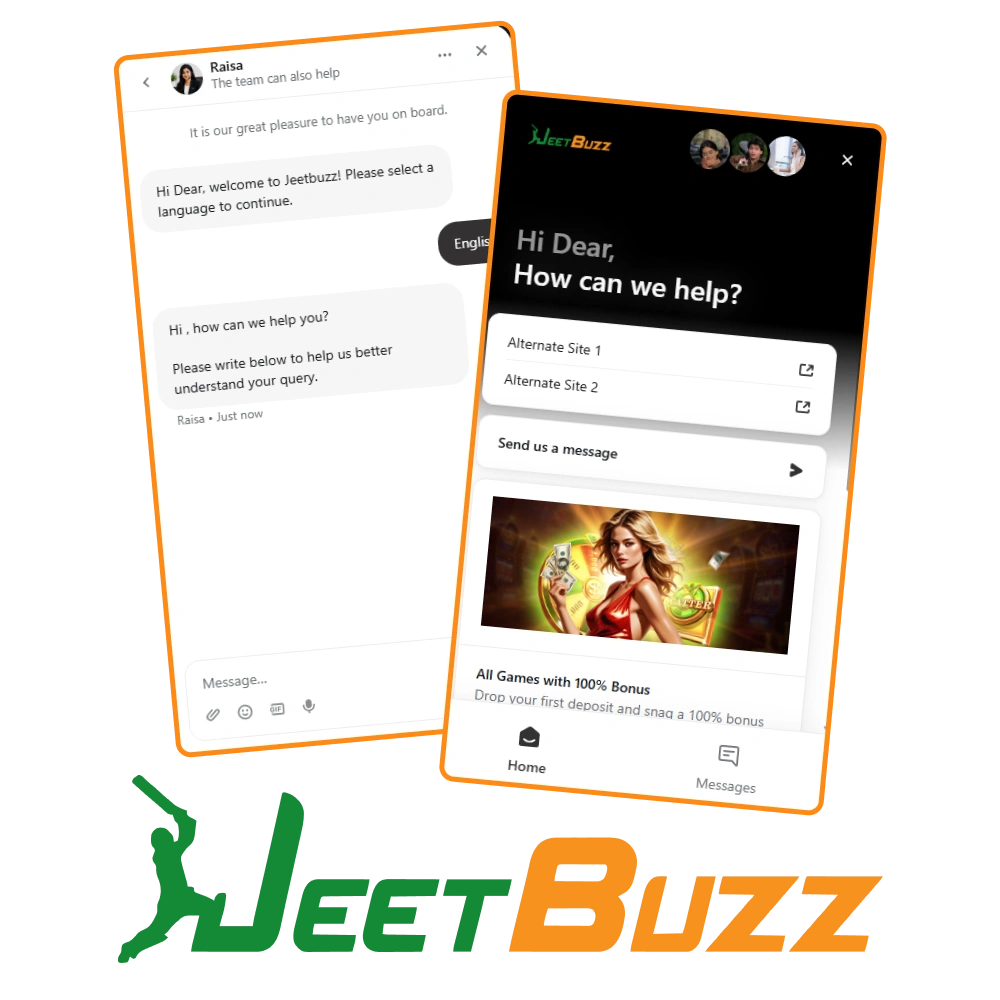
Jeetbuzz Live Support: Chat with the Team Instantly
How to Access Live Chat
The live chat icon appears in the bottom corner of the Jeetbuzz website and app. Clicking it opens a chat window where users can type their query and be connected to an available agent.
Best Use Cases
- Account login and verification issues;
- Deposit and withdrawal status inquiries;
- Bonus and promotion clarifications;
- General account questions;
- Urgent issues requiring an immediate answer.
Contact Details and Hours
- Availability: 24 hours a day, 7 days a week;
- Languages: Bengali and English;
- Access: Via website chat widget or in-app support button.
Expected Response Time
Live agents typically respond within 1 to 5 minutes during standard hours. Wait times may be slightly longer during peak periods.
Tips for Faster Assistance
- Log in to the account before starting a chat session;
- Have the registered phone number or username ready;
- State the issue clearly in the first message;
- Avoid switching topics mid-conversation to keep resolution time short.
Jeetbuzz Support Email: For Detailed Queries and Documentation
How to Send a Support Email
Users can email the Jeetbuzz customer service team directly. The email should include the registered account username, a clear description of the issue, and any relevant screenshots or files.
Best Use Cases
- Identity verification and KYC document submission;
- Formal disputes or complaints;
- Account closure or suspension requests;
- Issues requiring photo or document evidence;
- Follow-up on unresolved prior contact.
Contact Details
- General Support Email: support@jeetbuzz.com;
- Languages Supported: Bengali and English;
- Availability: Emails are accepted at any time.
Expected Response Time
Email responses are typically delivered within 24 to 48 hours. Complex cases involving document review may take slightly longer.
Tips for a Faster Email Response
- Use a clear and specific subject line (e.g., “Withdrawal Pending – Account #XXXX”);
- Include the registered email address and username in the message body;
- Attach all relevant screenshots or documents in the initial email;
- Send only one email per issue to avoid delays caused by duplicate tickets.
Jeetbuzz Helpline Number: Direct Phone Contact
How Phone Support Works
Users can call the Jeetbuzz helpline number during available hours. An agent will verify the caller’s identity before discussing account-specific details. Callers should be prepared for a short hold during busy periods.
Best Use Cases
- Urgent account security concerns such as suspected unauthorized access;
- Complex payment issues requiring step-by-step verbal guidance;
- Situations where written communication has not resolved the issue;
- Users who prefer direct verbal communication.
Contact Details and Hours
- Helpline Number: Available on the official Jeetbuzz website contact page;
- Operating Hours: Support hours are listed on the contact section of the site;
- Languages: Bengali and English;
- Region: Bangladesh users are directed to the local or regional support line.
Expected Response Time
Call connection times are generally under 5 minutes. Full issue resolution during one call depends on the complexity of the query.
Tips for a More Efficient Call
- Have the registered username, phone number, and email address ready before calling;
- Call during off-peak hours (early morning or late evening) for shorter wait times;
- Write down key details about the issue before dialing;
- If transferred to another department, ask for a reference or ticket number.
Technical Support at Jeetbuzz: Resolving Platform and Account Issues
The Jeetbuzz technical support team handles issues related to platform performance, payment processing errors, and account access failures. Users experiencing problems with gameplay or transactions can contact this team through dedicated channels.
How to Access Technical Support
Technical support can be reached through live chat by selecting the technical issue category at the start of the conversation. For detailed cases, users can also submit a report via email with supporting documentation.
Issues Handled by Technical Support
- Login failures and password reset problems;
- Game loading errors or mid-session disconnections;
- Payment transaction failures or incorrect amounts reflected;
- Bonus credits not appearing after qualifying activity;
- App installation or update errors on Android or iOS devices;
- Two-factor authentication or verification code issues.
Contact Details
- Live Chat: Select “Technical Issue” from the support category menu;
- Email: technical@jeetbuzz.com (or the address listed on the official website);
- Languages: Bengali and English;
- Availability: 24 hours a day, 7 days a week.
Expected Resolution Time
Most technical issues are addressed within 24 hours. Complex payment or system errors may require up to 72 hours for full investigation.
Tips for Faster Technical Assistance
- Capture a screenshot of any error message before contacting support;
- Note the exact time and date the issue occurred;
- Include device type, operating system version, and browser or app version in the report;
- Describe the steps taken before the error appeared;
- Provide the transaction ID or game round ID when reporting payment or game-related issues.
VIP and Priority Support for High-Tier Jeetbuzz Members
Jeetbuzz offers dedicated priority support for members who have reached VIP status or qualify under the platform’s high-tier loyalty program. These users receive faster response times and access to a dedicated support contact.
How VIP Support Works
VIP members are assigned a dedicated account manager or given access to a priority support line. This contact is separate from standard customer service channels and is not publicly listed. VIP users receive contact details upon reaching the qualifying tier.
Who Qualifies for Priority Support
- Players who have reached a designated VIP or high-loyalty tier on the platform;
- Users with consistently high deposit and activity levels, as defined in the VIP program terms;
- Members who receive a formal VIP invitation from the Jeetbuzz team.
Services Covered Under Priority Support
- Expedited withdrawal processing;
- Dedicated handling of account disputes or bonus issues;
- Priority response to technical complaints;
- Personalized assistance with account settings and preferences.
Contact Information
- Dedicated Contact: Provided directly to qualifying VIP members;
- Priority Chat: Accessible through a separate channel within the account dashboard for eligible users;
- Languages: Bengali and English;
- Availability: Extended hours with faster average response times than standard support.
Expected Response Time
VIP and priority support inquiries are typically addressed within 1 hour. Urgent matters are escalated immediately.
How to Maximize VIP Support Benefits
- Maintain consistent account activity to retain VIP status;
- Use the dedicated contact details provided by the account manager for all priority requests;
- Notify the support team of any time-sensitive issue immediately rather than using standard channels;
- Review VIP tier conditions regularly to stay informed about entitlements and service levels.
Updated:
Social Media and Messaging Platform Support
Jeetbuzz customer service is also reachable through popular messaging apps and social media channels, making it convenient for users who spend time on these platforms. These channels are useful for general inquiries and staying updated on announcements.
Available Platforms
Best Use Cases
Contact Information
Expected Response Time
Messaging platform responses typically arrive within a few hours. Social media replies may take up to 24 hours depending on volume.
Tips for Effective Messaging Support