
Jeetbuzz Deposit Methods in Bangladesh
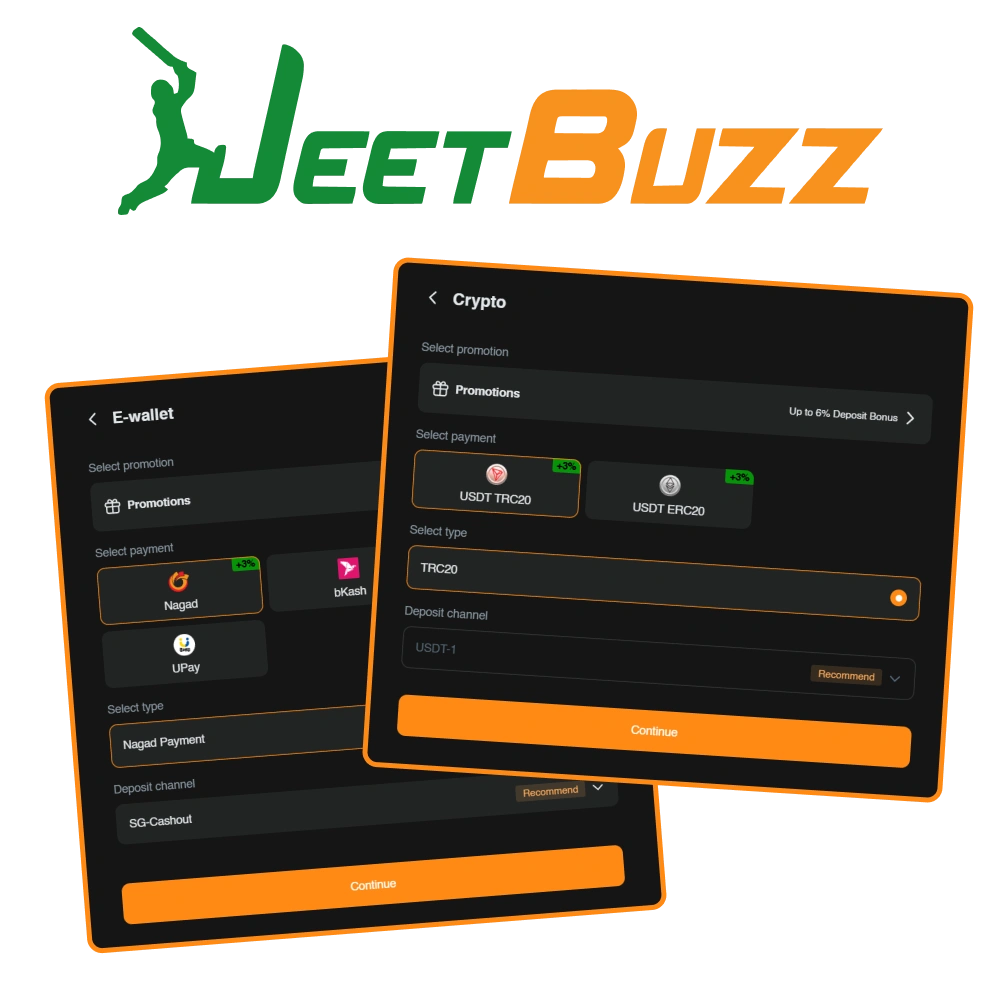
Jeetbuzz supports 5 deposit methods for Bangladesh players: bKash, Nagad, Rocket (DBBL), Upay, and Bank Transfer. The minimum deposit amount is ৳200 and the maximum deposit amount is ৳500,000 per transaction. All transactions are processed with 0% commission and funds are credited near instantly. New players receive a first deposit bonus package that includes 7 Free Lucky Spins on Slots and Fishing, 25% Cashback on Live Casino and Table Games, and a 50% Sports Refund on eligible sports bets.
How to Deposit at Jeetbuzz: Step-by-Step for Bangladesh Users
Funding your Jeetbuzz account requires a verified account and a supported local payment method. Follow the steps below to complete your first deposit in under 5 minutes.
Create or Log In to Your Account
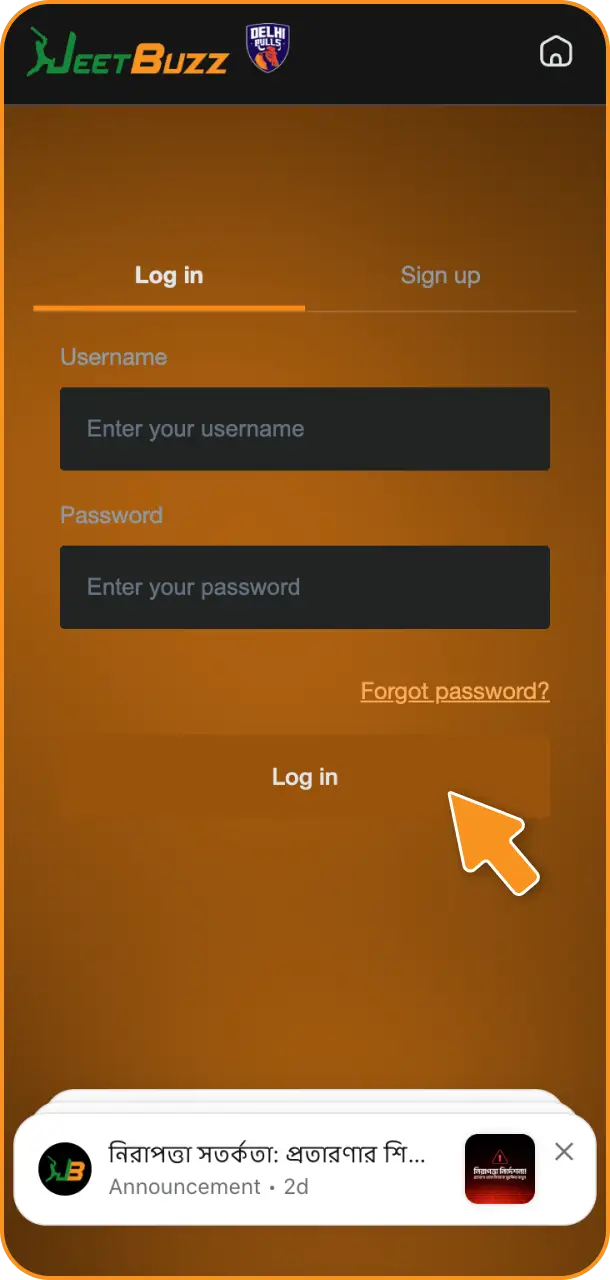
Click the “Register” button on this page to sign up, or log in to your existing Jeetbuzz account using your registered mobile number and password.
Go to the Deposit Section
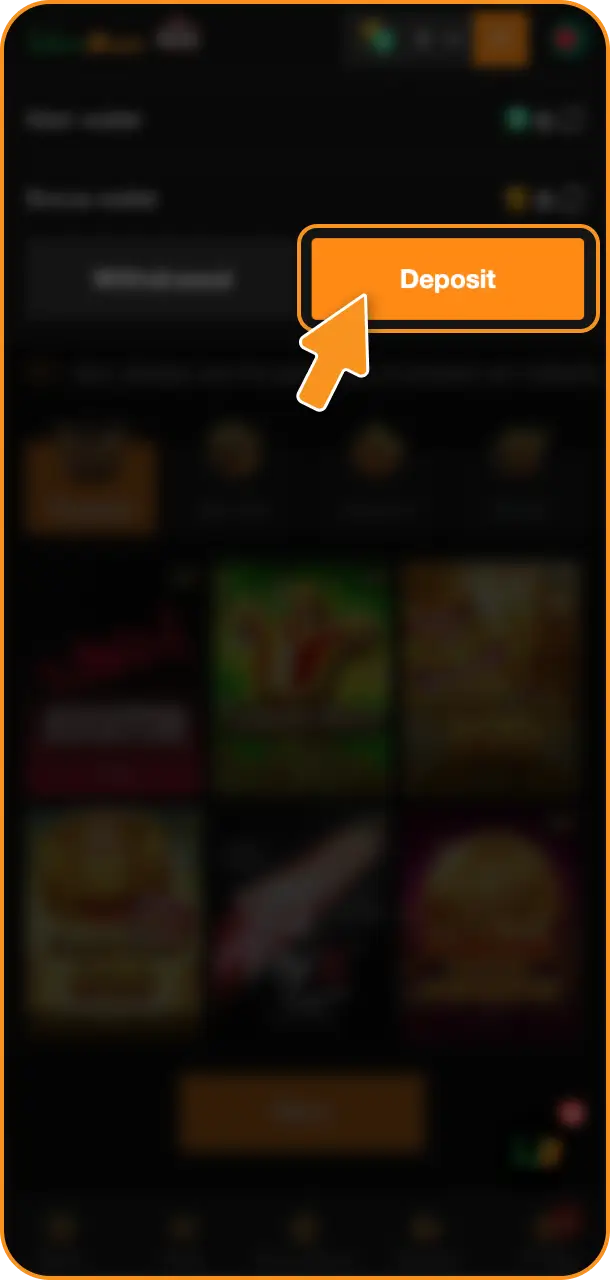
Once logged in, navigate to your account dashboard and click the “Deposit” button located in the top right corner of the screen.
Select Your Payment Method
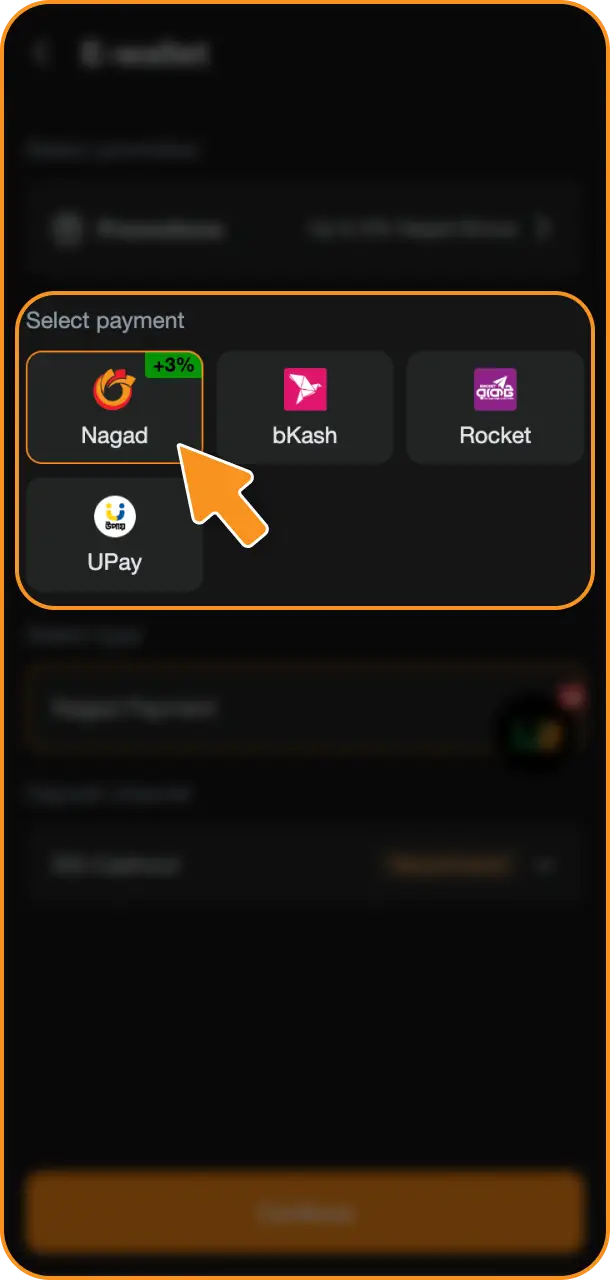
Choose your preferred deposit method from the available options: bKash, Nagad, Rocket (DBBL), Upay, or Bank Transfer.
Enter the Deposit Amount
Type in the amount you wish to deposit. The minimum deposit is ৳200 and the maximum is ৳500,000 per transaction. Confirm your entry before proceeding.
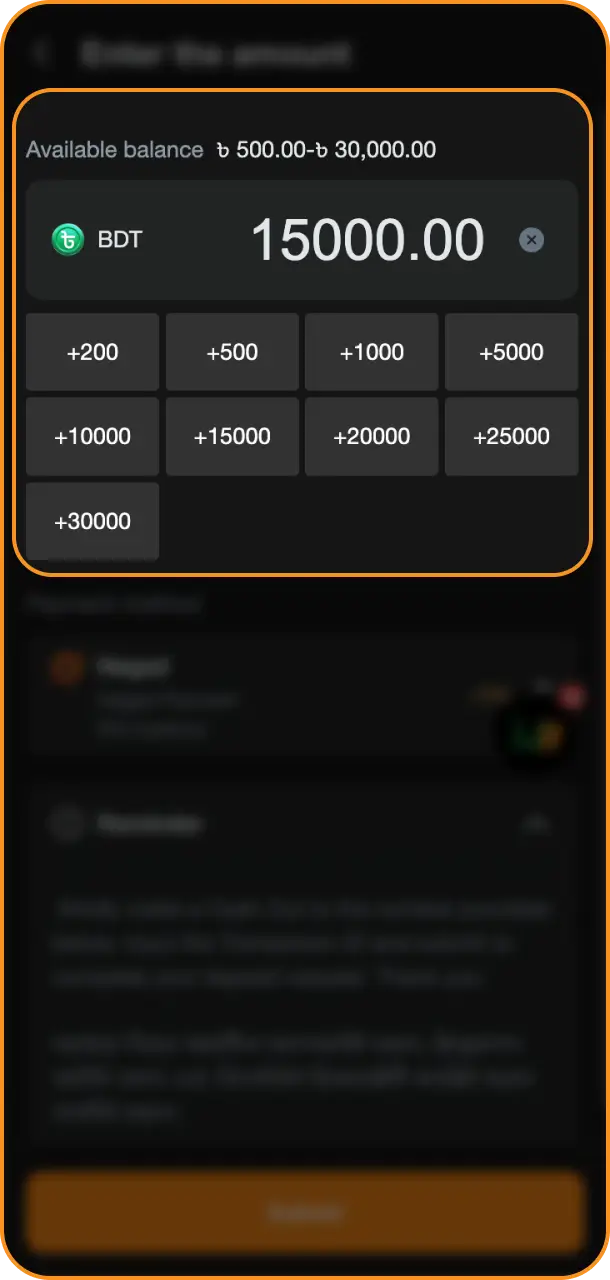
Confirm the Transaction
Follow the on-screen instructions for your chosen payment method, complete the authentication step (such as your bKash or Nagad PIN), and submit. Funds are credited to your balance near instantly.
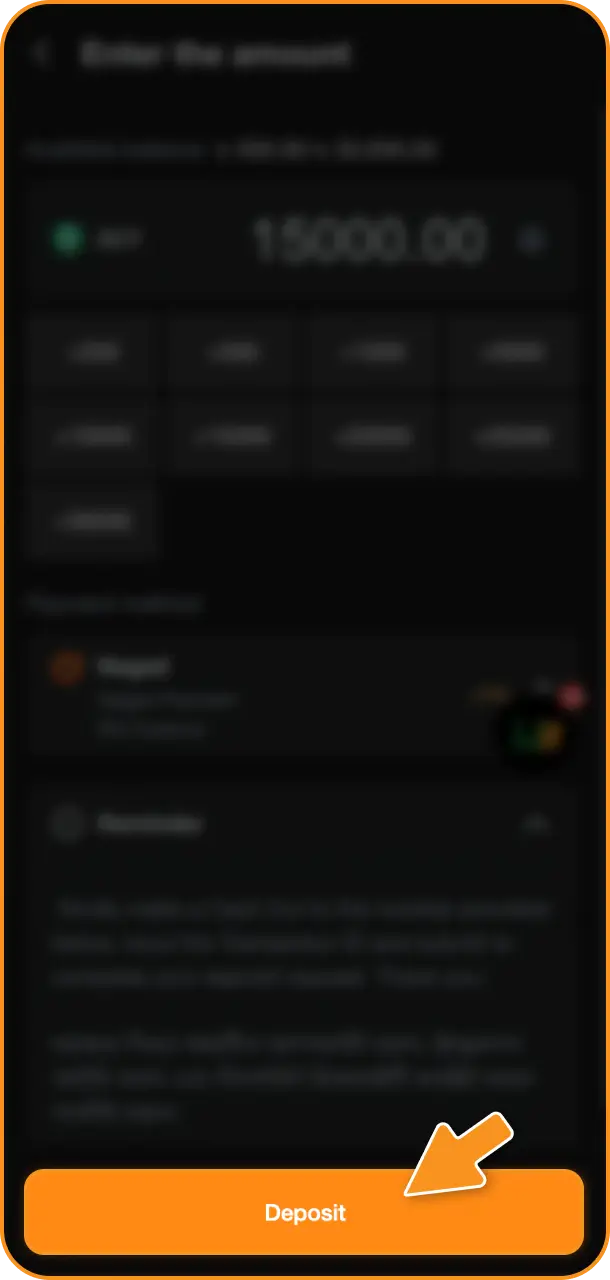
Jeetbuzz Deposit Methods, Processing Times and Limits
Jeetbuzz offers 5 local payment methods for Bangladesh players, all with 0% commission on deposits. The minimum deposit is ৳200, the maximum is ৳500,000, and funds are credited near instantly in most cases.
| Payment Method | Minimum Deposit | Maximum Deposit | Processing Time | Fees |
|---|---|---|---|---|
| bKash | ৳200 | ৳500,000 | Instant | 0% |
| Nagad | ৳200 | ৳500,000 | Instant | 0% |
| Rocket (DBBL) | ৳200 | ৳500,000 | Instant | 0% |
| Upay | ৳200 | ৳500,000 | Instant | 0% |
| Bank Transfer | ৳500 | ৳500,000 | Up to 30 minutes | 0% |
Popular Deposit Methods Available on Jeetbuzz
Bangladesh players rely on a set of trusted local payment options to fund their accounts at Jeetbuzz. Each method is integrated directly into the platform for quick, secure financial transactions.
- bKash: Bangladesh’s most widely used mobile financial service with over 67 million registered users. Deposits are processed instantly with no fees, making bKash the top choice for quick top-ups on Jeetbuzz;
- Nagad: A fast-growing mobile money service operated by Bangladesh Post Office. Nagad deposits are credited instantly and are supported across all Jeetbuzz account types;
- Rocket (DBBL): Dutch-Bangla Bank’s mobile banking solution, recognized for high transaction limits and reliable transfer speeds. Rocket is a strong option for players who prefer bank-linked transfers;
- Upay: A mobile wallet by UCB, trusted for secure digital payments across Bangladesh. Upay deposits carry 0% fees and process in real time;
- Bank Transfer: Available for players who prefer direct account-to-account transfers. Bank Transfer supports higher deposit amounts and is suitable for high-volume sessions, with funds credited within 30 minutes.
Jeetbuzz First Deposit Bonus for Bangladesh Players
7 Free Lucky Spins (Slots and Fishing)
New players receive 7 Free Lucky Spins valid on selected Slots and Fishing games. The spins are credited automatically after your first qualifying deposit. No minimum deposit threshold is specified for this reward beyond the platform’s standard ৳200 minimum. Spins must be used within the validity period specified at the time of crediting.
25% Cashback on Live Casino and Table Games
Jeetbuzz credits a 25% Cashback bonus on net losses recorded in Live Casino and Table Game categories during the qualifying period. The cashback amount is calculated on eligible real-money wagers only. Bonus funds are subject to rollover requirements; review the full terms in the Promotions section of your account before wagering.
50% Sports Refund
A 50% Sports Refund applies to qualifying sports bets placed after the first deposit. The refund is calculated on the stake amount of losing bets within the eligible sports betting markets. The minimum deposit to activate this offer is ৳200. Refund funds carry rollover conditions; check the exact odds requirements and time frame in the Promotions section.
Note: All three bonus components are subject to Jeetbuzz’s standard bonus terms, including rollover multipliers, eligible games, time limits, and maximum bonus caps. Review the current Promotions page for the full conditions applicable in 2026.
Common Deposit Issues and How to Resolve Them
A small number of players occasionally encounter issues when attempting to fund their Jeetbuzz account. Below are the most frequent problems and their solutions.
- Payment Declined by Mobile Wallet: Your bKash, Nagad, or Rocket account may have insufficient balance or the daily transfer limit may have been reached. Check your wallet balance and daily limit before retrying the deposit;
- Funds Not Credited After Payment: In rare cases, a processing delay may prevent your balance from updating immediately. Wait up to 10 minutes and refresh your account. If the amount is still not credited, contact the support team with your transaction ID;
- Incorrect Payment Reference Entered: Some deposit methods require a specific reference number to match your Jeetbuzz account. If the wrong reference is entered, the funds cannot be matched automatically. Submit a support ticket with your payment receipt and registered account details;
- Account Not Verified: Deposits may be blocked if your Jeetbuzz account has not completed the verification process. Complete the KYC step by uploading a valid National ID or passport through the Verification section in your account settings;
- Deposit Amount Below the Minimum Limit: Transactions below ৳200 will be rejected by the payment system. Ensure your deposit amount meets the ৳200 minimum before submitting.
Jeetbuzz Customer Support for Deposit Assistance
Jeetbuzz provides dedicated customer support around the clock to assist Bangladesh players with any deposit-related issues. The available contact channels are listed below.
- Live Chat: Available 24/7 directly on the Jeetbuzz platform. Access the chat widget from the bottom right corner of any page for the fastest response time;
- Email Support: Send a detailed message including your account ID, transaction reference, and issue description to the official Jeetbuzz support email listed in the Help section of your account;
- Telegram: Jeetbuzz maintains an official Telegram support channel. The channel link is accessible from the Contact Us section in your account dashboard;
- Facebook Messenger: Players can reach the support team through the official Jeetbuzz Facebook page for queries related to payments, account access, and bonus activation.
FAQ
Is there a fee for depositing at Jeetbuzz?
No. Jeetbuzz charges 0% commission on all deposits across all supported payment methods, including bKash, Nagad, Rocket (DBBL), Upay, and Bank Transfer.
How long does it take for my deposit to appear in my account balance?
Mobile wallet deposits via bKash, Nagad, Rocket, and Upay are credited near instantly. Bank Transfer deposits may take up to 30 minutes to reflect in your account balance.
Can I deposit using multiple payment methods on the same account?
Yes. Jeetbuzz allows players to use different supported payment methods on the same account. You are not restricted to a single deposit option per account.
What is the maximum number of deposits I can make per day?
Jeetbuzz does not publicly cap the number of daily deposit transactions. However, individual payment providers such as bKash and Nagad impose their own daily transfer limits, which apply independently of platform rules.
Do I need to complete account verification before making my first deposit?
You can initiate a deposit after registration, but full KYC verification may be required before withdrawal. It is recommended to complete the verification process early by submitting a valid National ID or passport through the Verification section of your account settings.
Updated:
Comments